Hisong AirStudio S1 Mobile Recording Capsule
Hisong AirStudio S1 Mobile Recording Capsule
Review by Angie Kibiloski
Last month, I highlighted Hisong‘s long-awaited AirStudio S1 in my Convention Center Exhibits article from CES 2026, having seen it there in previous years during the prototype phase, and been intrigued to check it out when it launched. This year brought its retail release, and I recently snagged myself a unit to test out first-hand. We’re going to dive into all of its features in this review, and see which met my expectations, and which left me wanting something different. In short, I think this is a great mobile recording capsule, combining a quality mic and monitoring earbuds, and I’d recommend checking it out for the price. However, I do see some room for improvement in the functionality beyond the basics.
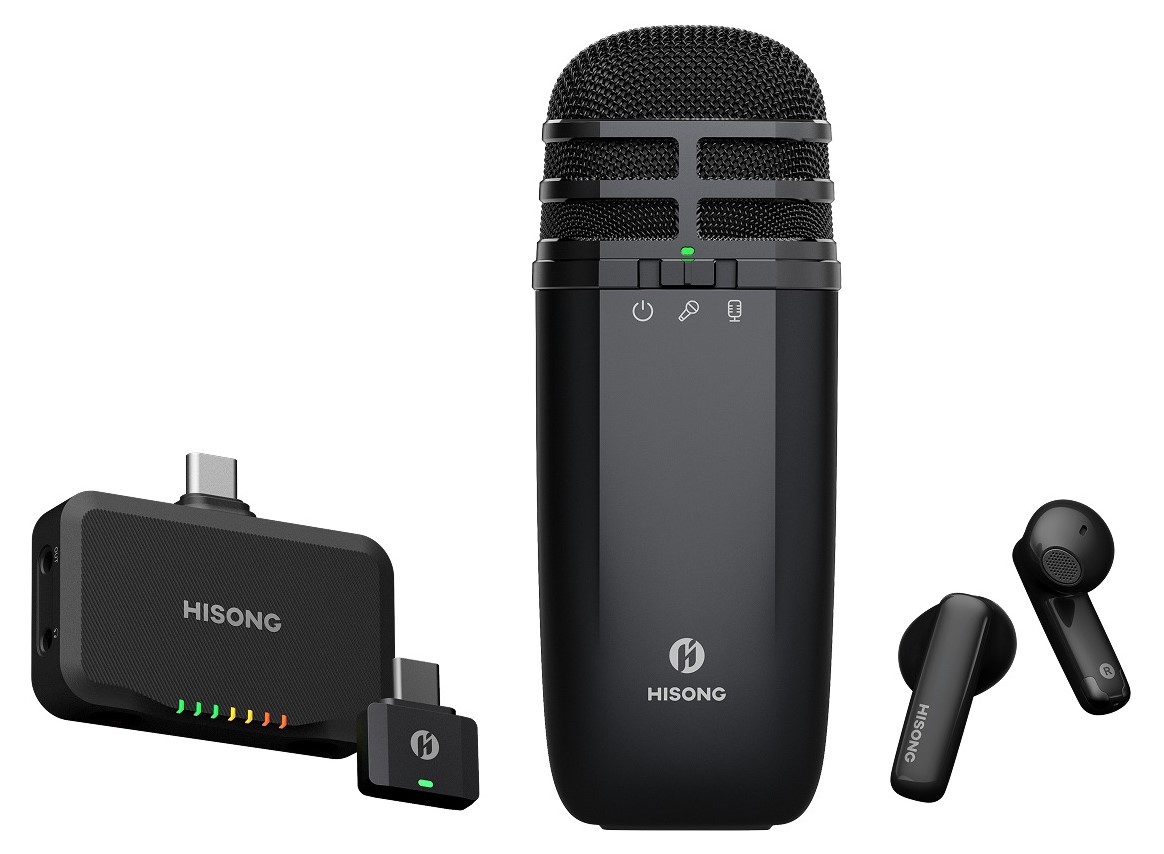
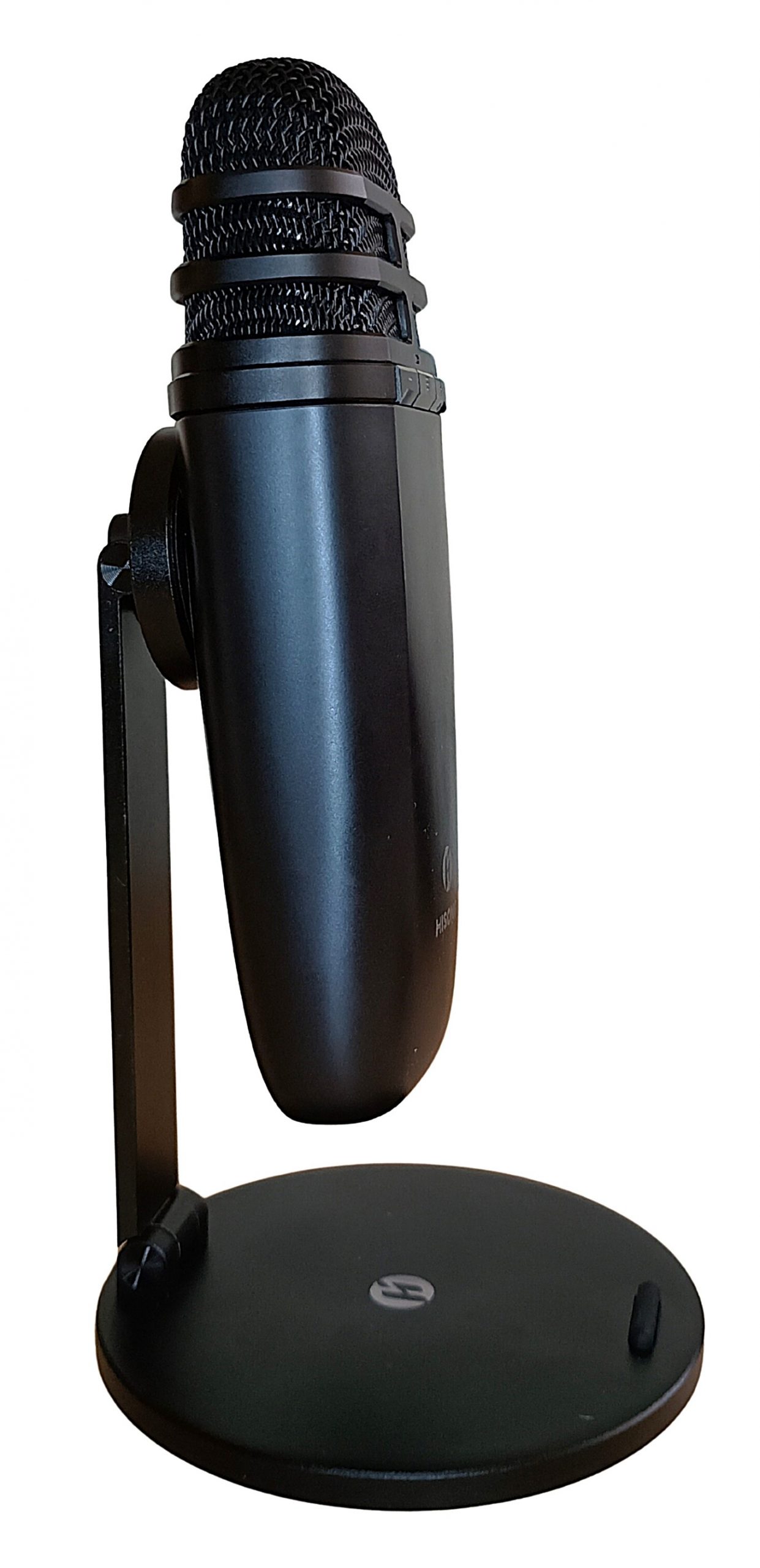
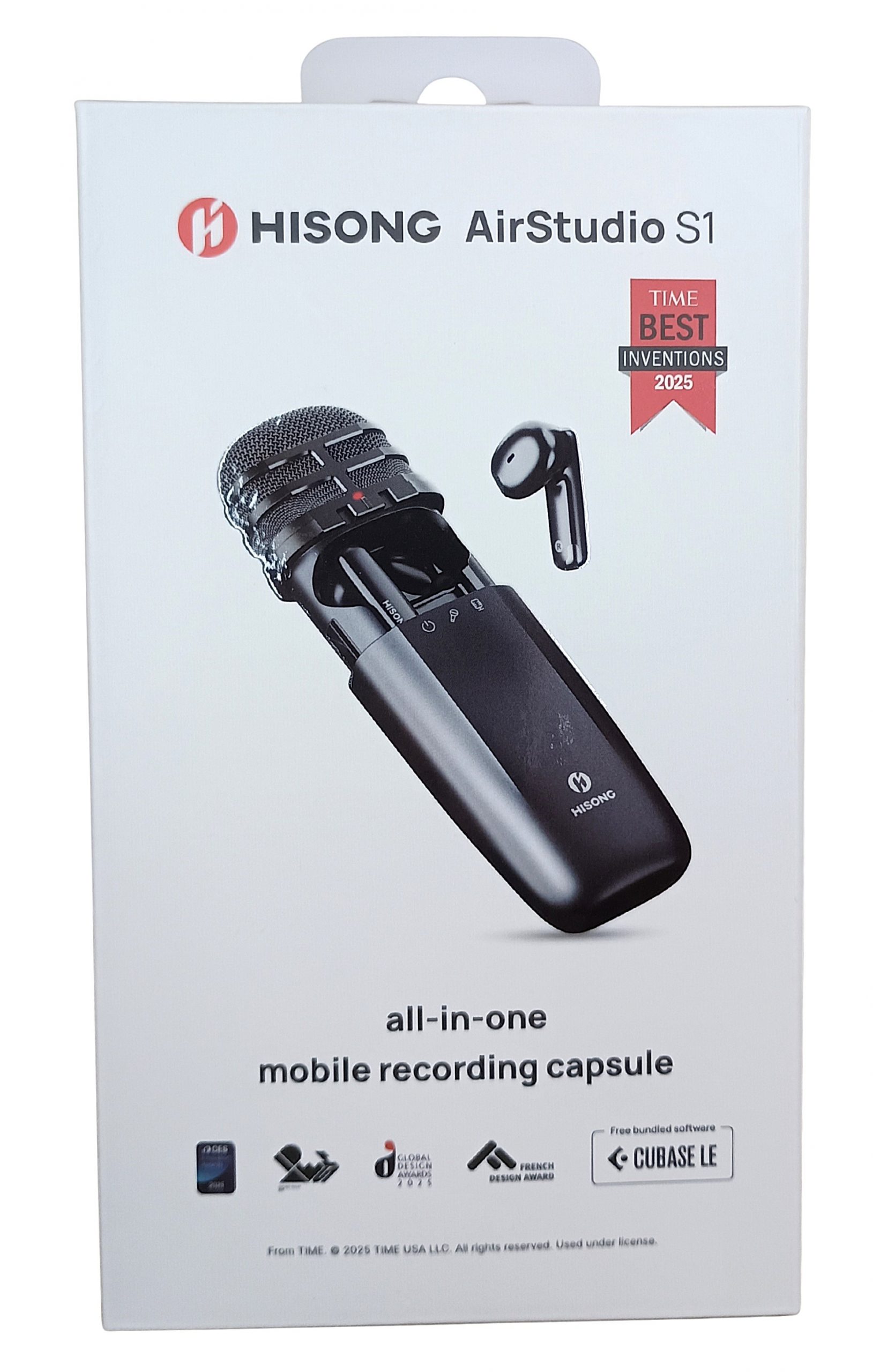
Let’s start with those basics, and lay out what the AirStudio S1 is at its core. The base device is a compact, studio quality microphone that can be set to either enhanced dynamic or condenser mic modes, with either cardioid or supercardioid pickup patterns. The mic has a -41 ±3 dB sensitivity, a sampling rate of 24-bit/48 kHz, a 20 Hz-20 kHz frequency range, and a 137 dB SPL (Sound Pressure Level). The controls on the body are simple, with a sliding switch for power and pickup type on one side, and buttons for volume and preset switching on the other, with a USB-C port on the bottom. The metal mesh mic head has a built-in pop filter, and comes with an additional foam cap to reduce wind noise. A panel on the side of the mic slides open to reveal the wireless monitoring earbuds, magnetically held in their sockets for storage and charging. These earbuds are lightweight and comfortable, have super low latency down to 24ms, and allow you to monitor your mic input in real-time. Controlling it all is the Hisong Link app, for iOS and Android, which allows you to adjust mic parameters for your presets, like limiter, compression, and reverb, live switch presets and volume, and create multi-track recordings right inside the app without having a stand-alone DAW running.
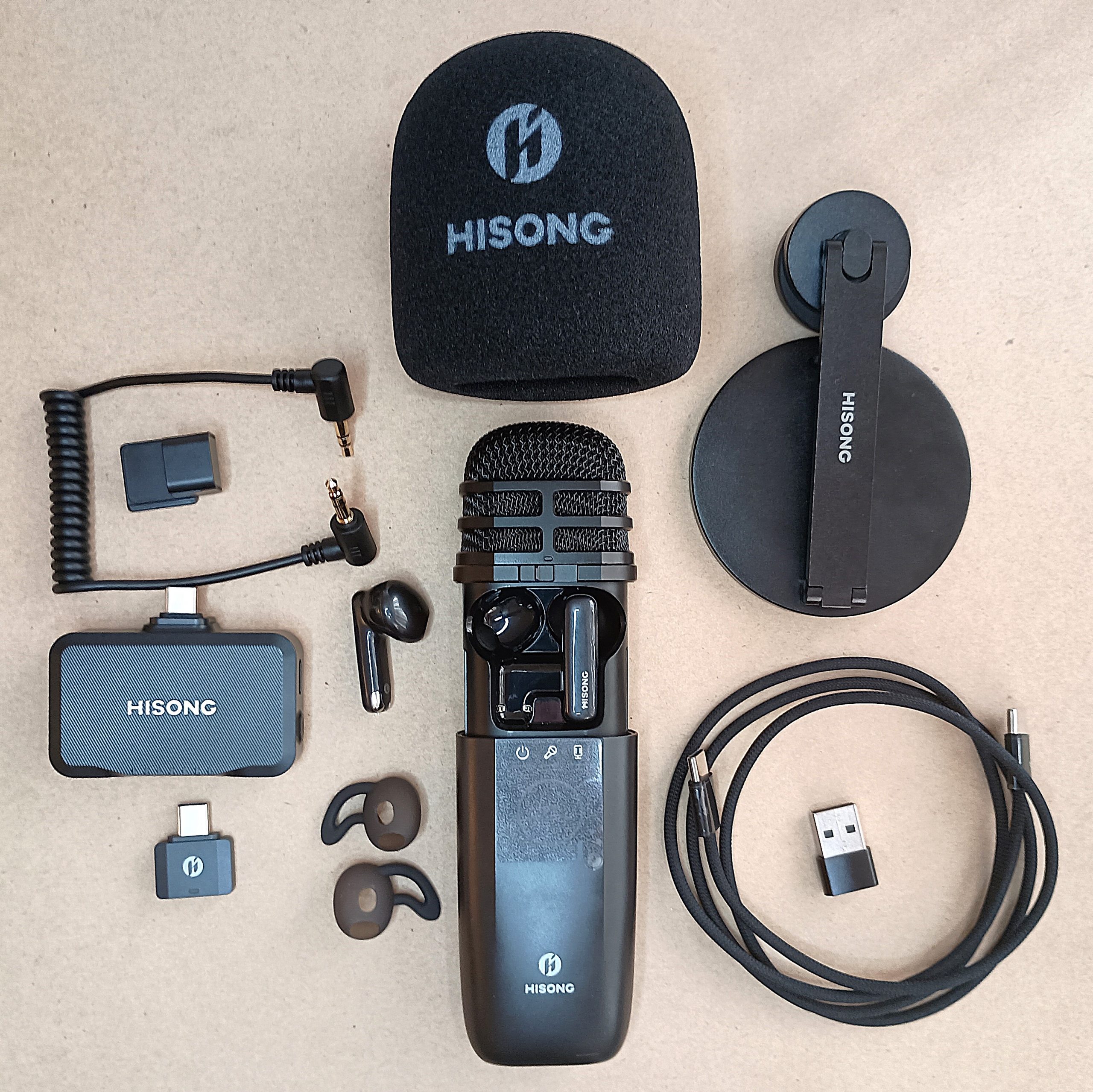
There are a number of accessories that come with this base unit, depending on which kit you purchase, based on your recording needs. The standard 4-in-1 Musicians Kit ($299) comes with the base mic/earbud unit, foam windscreen, magnetic desktop mic stand, which easily folds up for portability, a pair of silicone earbud tips, though I found the bare earbuds comfortable and secure enough, and a USB-C cable with optional USB-A adaptor. All of this fits in a small zippered travel bag, though the foam windscreen is a tight squeeze. The 5-in-1 Creator Kit ($349) has all of this plus the RxMini Wireless Receiver, which plugs into your USB-C port for a cordless connection instead of being tethered with the USB-C cord. This RxMini can connect to cameras as well as smart devices, for wireless audio and low-latency live video streaming. Finally, the 6-in-1 Master Kit ($399) includes all of this plus the RxPlus Set, with Receiver, USB-C Shoe Adapter, Cold Shoe Adapter, and 3.5mm TRS Audio Cable. This large kit provides functionality for multi-device recording and live performance setup, with the 3.5mm cable offering direct connection to speakers, cameras, mixers, etc. Every kit option comes with a license to Cubasis LE and Cubase LE, in case you don’t already have a preferred mobile or desktop DAW installed.
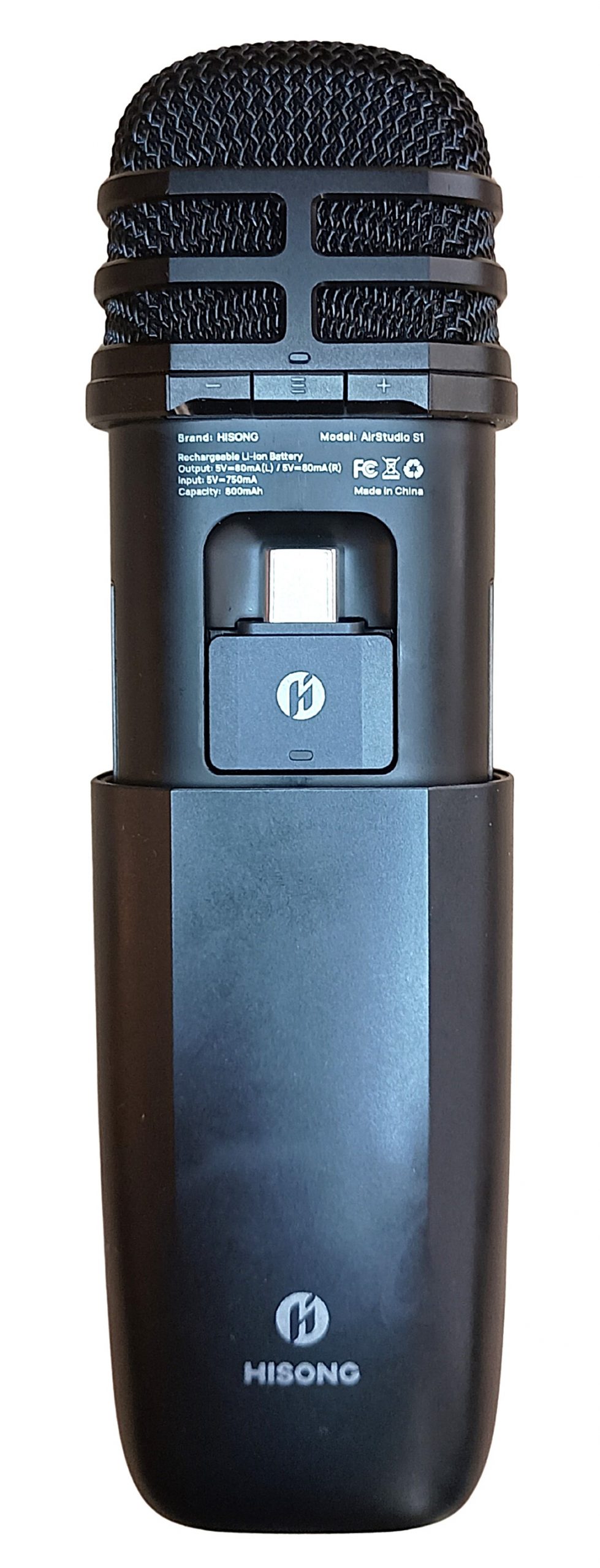
Now that you’re familiar with everything that’s included, and what it all does, let’s talk a little about what I like and dislike about each element. Starting off with the microphone itself, I really enjoyed using it handheld more than on its stand. It’s shaped to fit comfortably in your hand, and is lightweight enough to hold for extended periods. The controls are easy to use and the USB-C port is in an unobtrusive spot. The sliding panel that conceals the earbuds (and RxMini if included) inside the unit is smooth to operate, and the mic head is constructed well. The sound quality seems top notch, with no buzzing or blowout, my voice came through clear, even when recording with no ambient noise reduction, and it didn’t detect any taps or movements of my hand on the mic body. The 10 levels of pickup volume are adequate, and the mute button between them is handy.
Out of all the AirStudio S1 elements, I’m happiest with the mic itself, and had no issues with it functioning properly, but there are some upgrades I’d like to see in the future. Indicator lights to denote which pickup volume level you’re on would be great, as well as an indicator for which preset you’re on without having to cycle through and hear the audio prompt. I’d like a wider angle of pickup on the enhanced dynamic mic setting, as you really need to be precisely in front of the mic tip for a clear recording, and I found this a little too narrowly directional for me. The condenser mic mode was a bit more generous with its angle, though both of them struggled at arm’s length if I was speaking at a normal level. Otherwise, the only thing I’d change, which is really more of an accessory issue than an issue with the mic itself, is an option to get a fuzzy cat style windscreen instead of the foam cap, but that’s mostly a personal preference.

As to the monitoring earbuds, I think they’re great, mostly. They really are lightweight and comfortable, even during extended wear. I have trouble with hard earbuds creating aching pressure and these did not, even without adding the silicon tips. In fact, I found them more comfortable without the pointy tips. I love that they live in the mic body, so no risk of losing or forgetting them. The sound from their speakers was crisp and clear, and the latency was almost non-existent…at least in the right earbud. The left earbud was slightly out of sync, only by milliseconds, but it was noticeable, like the auditory equivalent of a 2-color print where the 2nd layer was just the slightest bit misaligned. As with the visual analogy, this made the audio seem fuzzy, not quite an echo, but certainly off. I could even notice it when I was wearing the left earbud alone, as it was evident that my mouth was not quite synced with what was in my ear, though it was more obvious when I had both buds in and I could hear the fuzzy effect. Lastly, just a minor complaint, it would be nice if the touch controls on the earbuds would allow for more options than just volume adjustment.
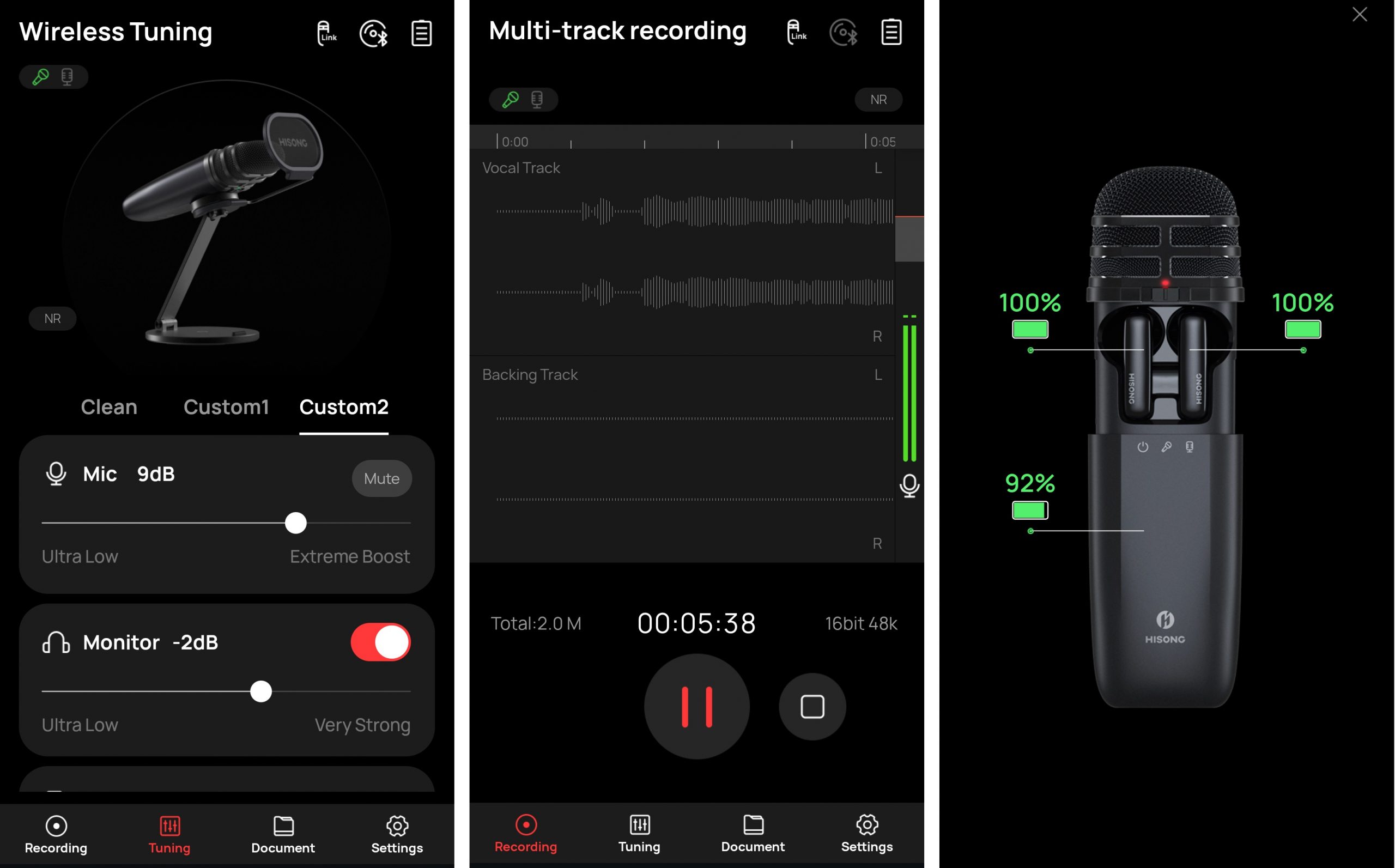
Finally, let’s get into the Hisong Link app and various connectivity methods. There’s a fair amount of control in the app on adjustable elements for the presets, including mic sensitivity, monitor volume, backing track volume, EQ, compressor, limiter, noise reduction, and reverb. You get a clean preset where you can only adjust the mic, earbud, and backing levels, and two custom presets where you can fine tune all parameters. It’s also handy to see the battery level of the mic and earbuds. I do like that you can record directly into the app and not have to open your mobile DAW, and that you can listen to a backing track at the same time as you record, however, this is where I think there really needs to be some alterations. You cannot control your backing track from inside the app, so you’ll need to flip between open app tabs to play, pause, and record, making it very difficult to start your recording synced with the backing track. Then, you’re required to record both the backing track and your mic input track into the app, there’s no way to solo the vocal for recording and leave the backing track as playback only. This wouldn’t be an issue if it recorded as a true multi-track file, but both inputs get flattened into a single output. If these issues get fixed in a future update I’d be very pleased with the app.
The addition of the RxMini and RxPlus in the upgraded kits are great for working musicians or live performers, and from what I could tell with my limited setup at home, they provide a lot of versatility when you need multi-device integration. However, I had some frustrations with functionality with my phone and laptop. Firstly, I was annoyed to discover that the wireless RxMini isn’t compatible with the Hisong Link app itself, since it isn’t set up for multi-track recording, and the app is multi-track only. I had to be tethered to my phone with the USB-C cable to use their branded app. This was not true with other mobile recording apps, as I was able to connect to them without issue using the RxMini. It also worked with my laptop, though it struggled to connect unless used with the USB-A adapter. The USB-C cable connection worked perfectly with both laptop and phone, though it was frustrating to have this wired limitation on a product touted for its wireless mobility, especially when using the proprietary Hisong Link app itself. While not a deal breaker for me, this fell short of expectations.
All in all, I’m satisfied enough with the Hisong AirStudio S1 to recommend it as a quality mobile mic and monitoring earbud combo, with a reasonable starting price of $299, but keeping in mind the caveats that I outlined above. If you’re a casual content creator, or you like to have a studio mic to put down scratch tracks on-the-go, I think the basic 4-in-1 Musician Kit is a good deal. You’d want to upgrade to the 5-in-1 with the RxMini if you need dual inputs, or the 6-in-1 with the RxPlus if you need a full multi-device setup for live performances with a hardline output. This is just the debut model from this device line, so I’m confident that there will be improvements in future iterations, and I’ll certainly be keeping my eyes on this company for further innovations. For the moment, the AirStudio S1 is still a great mobile recording capsule, and I encourage you to check it out for yourself at Hisong.io.